A DarkFi Node on a Raspberry Pi — ARM Bring-Up Notes and the Circuits Underneath
TL;DR — I put a DarkFi testnet node and an xmrig miner on a Raspberry Pi 5, running 24/7 as systemd services, reachable from anywhere over self-hosted WireGuard. These are my bring-up notes, with the parts that actually cost me time, plus a look at the ZK circuits
darkfiddeploys on startup and the recent testnet exploit that sat on one of them.
Disclosure: I used an LLM as a pair through the setup and for editorial feedback. The hardware choices, the debugging, and the technical reasoning are mine, and I verified every command against the official DarkFi book and the xmrig docs before running it.
This is a technical notebook, not a polished guide. DarkFi is a proof-of-work, fully anonymous L1 written in Rust, with zero-knowledge smart contracts compiled from its own DSL. It's early and small, which is exactly why I wanted a node: a live, validating window into the protocol on hardware I can break without consequence. The hardware half has a tutorial shape to get insights into the process; the second half is the reason I first bothered at all.
Contents
- Why run a node
- The hardware
- Headless bring-up, and the parts that bit me
- Booting from the NVMe
- Remote access without a third party
- Compiling DarkFi on ARM
- Running the stack as services
- Mining with xmrig
- Reading the circuits
- Final notes
1. Why run a node
On a testnet there's no money, so this isn't about yield. What a node gives you is the protocol replaying itself through the actual WASM contracts and ZK verifying keys, on your own box, where you can read the logs. For learning ZK in a security frame, that beats reading papers alone. Also, a small project means the surface area for contribution is wide and the people building it are reachable.
2. The hardware
The storage choice is the one that matters:
- Raspberry Pi 5, 8 GB RAM
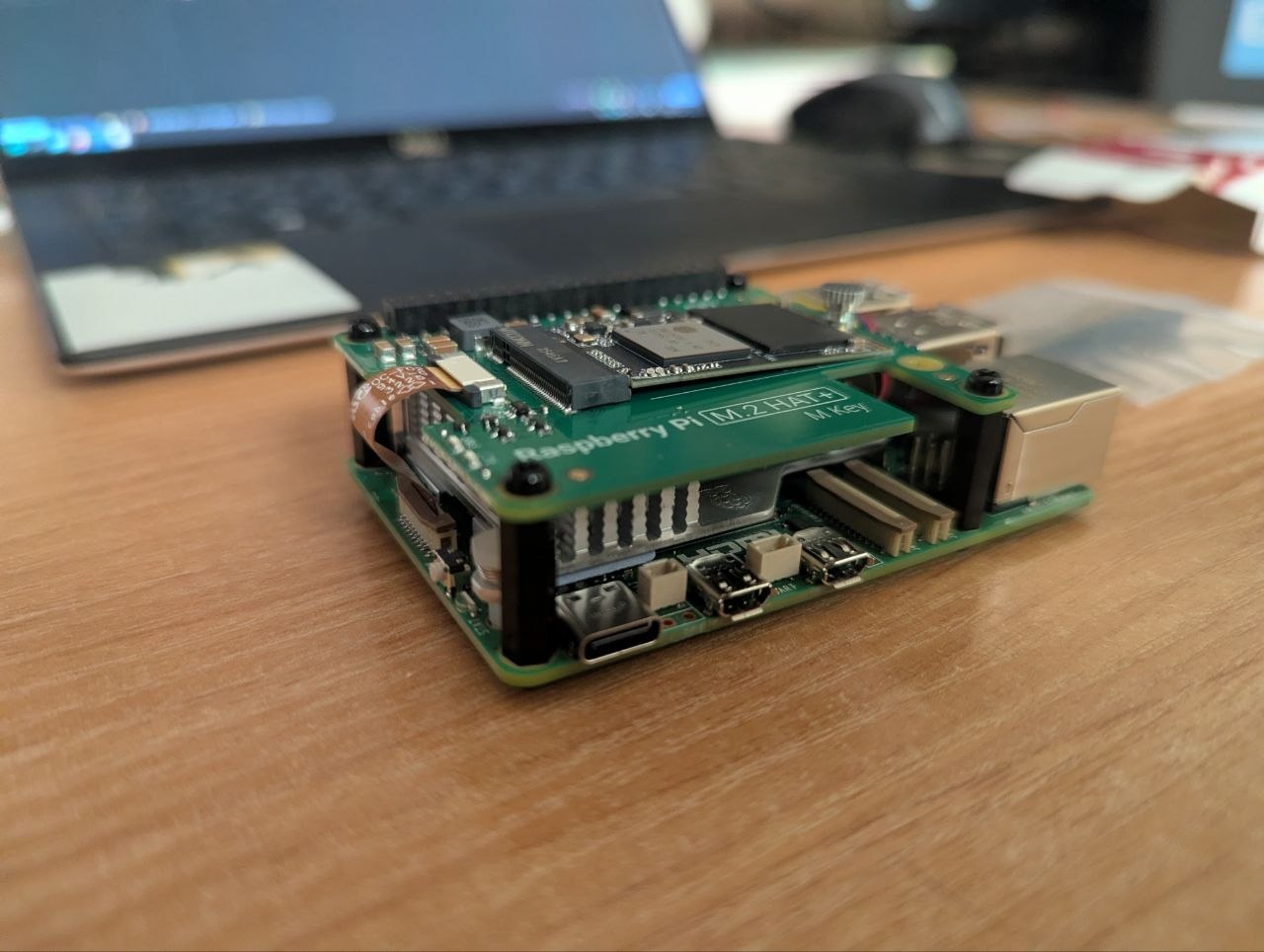
- Official M.2 HAT+ with a 256 GB NVMe SSD, 2242 form factor
- Official Active Cooler
- 27 W USB-C supply
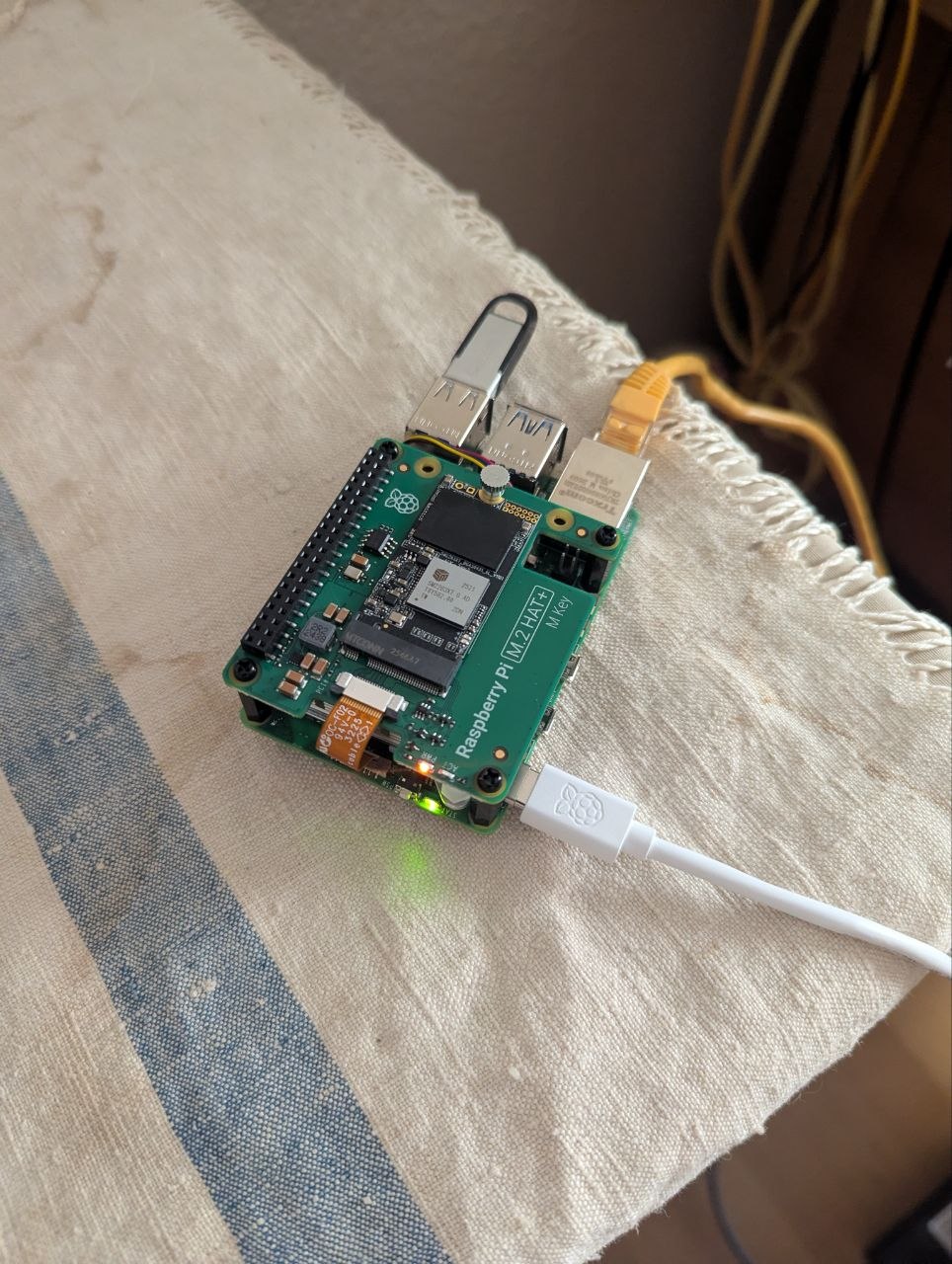
Two notes. The 8 GB is so compiling a large Rust crypto project doesn't swap a smaller board to death. And the HAT+ takes 2230/2242 drives, not the cheap common 2280 — I almost bought the wrong size because every budget NVMe on the shelf is 2280. An SD card would also have worked for boot, but a node writes to disk constantly and SD cards degrade fast under that; PCIe NVMe gives ~500 MB/s and far more write endurance.
3. Headless bring-up, and the parts that bit me
The plan was headless: no monitor, no keyboard, SSH over the LAN. Flash Raspberry Pi OS Lite (64-bit) with the Imager, set hostname, user, SSH-with-password and Wi-Fi in the gear menu, boot. Two things cost me time, so I am writing them down.
SSH refused to come up. The board was on the network — darknode.local resolved — but:
ssh: connect to host darknode.local port 22: Connection refusedHost keys existed, sshd existed, the service was enabled, and still nothing listened on 22. On the current Trixie-based image, cloud-init's user-data runs systemctl enable --now ssh, but the unit that actually opens the port is socket-activated. Enabling ssh.socket fixed it. If you hit this, mount the boot partition and read user-data — that file is the source of truth for first-boot config, and the runcmd there was the giveaway.
The hostname resolved to the wrong machine. darknode.local was pointing at my laptop's link-local address. avahi had quietly renamed the Pi to darknode-2.local to avoid a clash, because my laptop already advertised darknode. A subnet scan made it obvious:
$ nmap -sn 192.168.1.0/24
...
Nmap scan report for darknode-2.local (192.168.1.102)
Nmap scan report for darknode.local (192.168.1.110)   # <- this was my laptop
Lesson: when two machines want the same .local name, don't trust resolution — confirm by IP.
4. Booting from the NVMe
First boot ran off the USB stick. To move the system onto the NVMe I used rpi-clone, which clones the partitions and rewrites cmdline.txt and fstab with the new PARTUUID automatically:
$ sudo rpi-clone nvme0n1
...
Editing /mnt/clone/boot/firmware/cmdline.txt PARTUUID to use e2c47c0f
Editing /mnt/clone/etc/fstab PARTUUID to use e2c47c0f
Done with clone to /dev/nvme0n1
Pull the stick, reboot. The Pi 5's default BOOT_ORDER (0xf461) already tries NVMe after USB, so with no stick present it boots straight from SSD. The root partition expands to the full disk on first boot:
$ lsblk
nvme0n1     259:0    0 238.5G  0 disk
├─nvme0n1p1 259:1    0   512M  0 part /boot/firmware
└─nvme0n1p2 259:2    0   238G  0 part /
5. Remote access without a third party
The node lives at a relative's place and I travel, so I needed to administer it from anywhere. Tailscale is the easy path but it needs an account and a coordination server. I went with plain WireGuard instead: keys on both ends, the Pi as the server, one peer entry for my laptop, one UDP port (51820) forwarded on the router, and a free dynamic-DNS hostname so the tunnel survives the home IP changing.
The only test that counts is from a foreign network — same-network tests can pass on NAT hairpin and lie to you. From a 4G hotspot:
$ sudo wg show
peer: By/ubbf...IhDk=
  endpoint: 203.0.113.x
  latest handshake: 4 seconds ago
  transfer: 92 B received, 180 B sent
Worth stressing that this is orthogonal to DarkFi's own anonymity. DarkFi anonymizes the node's P2P traffic over its own transports (Tor, I2P). WireGuard here only secures my administrative SSH to the box. Different threat models, different tools.
6. Compiling DarkFi on ARM
This is the part most likely to save someone time. A minimal Pi OS Lite is missing most of the native libraries DarkFi's dependency tree expects, so make darkfid drk fails one library at a time. The repo is on Codeberg (canonical home; GitHub is a mirror), and you want master, since the live testnet runs ahead of the last tag.
Each failure pointed at one missing dependency. In the order they showed up:
error[E0463]: can't find crate for `core`      → rustup target add wasm32-unknown-unknown
CMake: NotFound                                → cmake        (RandomX is C++)
pkg-config: alsa was not found                 → libasound2-dev
ld: cannot find -lsqlcipher                    → libsqlcipher-dev
So the full set, installed up front to skip the loop:
sudo apt install -y git make gcc pkg-config libssl-dev libsqlite3-dev \
  libsqlcipher-dev libasound2-dev cmake clang libclang-dev
rustup target add wasm32-unknown-unknown
A few of these are non-obvious. wasm32-unknown-unknown is needed because DarkFi compiles its smart contracts to WASM. RandomX — the PoW algorithm, shared with Monero — is C++ and builds via CMake. ALSA gets pulled transitively even though nothing here touches audio. And sqlcipher is the encrypted SQLite the drk wallet stores keys in. The compile is slow on a Pi but not painful; halo2, the Tor stack, and the AEAD primitives are the bulk of it. Output: darkfid at 62 MB, drk at 38 MB.
One correction to older guides: there is no minerd target. DarkFi's miner is xmrig, built separately (§8). Read the current book, not a 2024 walkthrough.
7. Running the stack as services
darkfid writes a config on first run and exits. The default is already testnet — network = "testnet", seeds (the lilith seed-node daemons, advertised as node0/node1.testnet.dark.fi on testnet — bootstrap peers, like Bitcoin's DNS seeds: they hand a newcomer an initial peer list and then step aside). Initialize the wallet, change the default wallet_pass, generate a keypair, note the address.
Instead of babysitting daemons in tmux, I run them as systemd services so they survive reboots, crashes, and SSH drops:
# /etc/systemd/system/darkfid.service
[Unit]
Description=DarkFi Node (darkfid)
After=network-online.target
Wants=network-online.target

[Service]
Type=simple
User=rey
WorkingDirectory=/home/rey/darkfi
ExecStart=/home/rey/darkfi/darkfid
Restart=always
RestartSec=10

[Install]
WantedBy=multi-user.target
The miner unit declares After=darkfid.service, so the node always comes up first. Once running, the node syncs and validates blocks in real time — including, while I watched, a third-party AMM someone had deployed to the testnet.
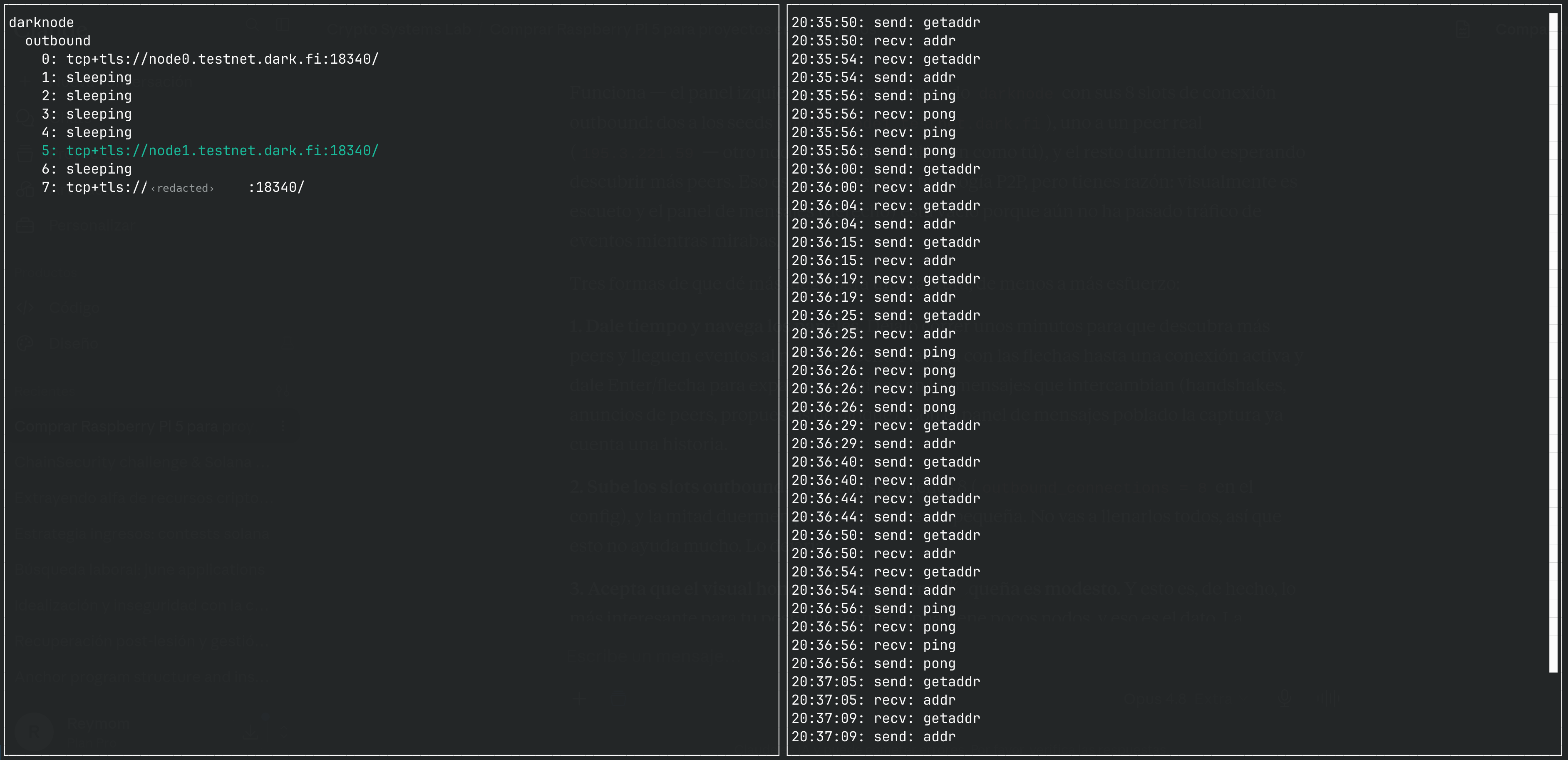
Attaching dnet — DarkFi's topology TUI — to the node's management RPC shows the shape of the network from the inside: a handful of outbound slots, two of them on the seed nodes, the rest either on live peers or sleeping until discovery turns up more (what dnet shows is my own outbound slots, not the whole network — so "one live peer" means one direct connection, not that the network has only one other node).
The right pane is the gossip layer in real time: getaddr/addr exchanges as the node learns about peers, ping/pong keeping connections alive. It's a small network — that's the honest texture of an early anonymous testnet, and it's exactly why being here now is interesting.
8. Mining with xmrig
To contribute hashrate you enable the Stratum RPC in darkfid's config ([network_config."testnet".stratum_rpc], listening on 127.0.0.1:18347) and build xmrig. Its ARM dependency trail is short — libhwloc-dev, libuv1-dev, OpenSSL already present — and cmake correctly detected the Cortex-A76 with ARM crypto extensions.
Point it at the node with your wallet as the reward recipient. DarkFi explicitly asks miners to use minimal resources so DRK spreads among testers, so two threads:
./xmrig -o 127.0.0.1:18347 -u <YOUR_WALLET_ADDRESS> -t 2 -r 1000 -R 20The node logs Got login from <wallet> and starts handing out jobs:
[RPC-STRATUM] Got login from fRAk2X... (XMRig/6.26.0 (Linux aarch64))
[RPC-STRATUM] Created new mining job for client 90c1...
xmrig settles around 400 H/s on two threads. With the Active Cooler and the board open on a desk, it holds 58 °C with zero throttling (vcgencmd get_throttled returns 0x0) — comfortable headroom even into summer. Mining a full RandomX block solo at 400 H/s against the whole testnet is luck and patience; the point is contributing, not earning.
9. Reading the circuits
This is what makes it more than a hardware hobby. When darkfid initializes it deploys the native contracts and builds a verifying key for every ZK circuit, logging each one:
zkas_db_set(): Creating VerifyingKey for Fee_V1 zkas circuit
zkas_db_set(): Creating VerifyingKey for Mint_V1 zkas circuit
zkas_db_set(): Creating VerifyingKey for Burn_V1 zkas circuit
zkas_db_set(): Creating VerifyingKey for TokenMint_V1 zkas circuit
zkas_db_set(): Creating VerifyingKey for AuthTokenMint_V1 zkas circuit
zkas_db_set(): Creating VerifyingKey for AuthTokenFreeze_V1 zkas circuit
That's the Money contract's circuit set: written in DarkFi's zkas DSL, proved with halo2 over Pallas/Vesta, using Poseidon as the in-circuit hash. As blocks sync, the DAO circuits and that AMM get deployed and validated too. It's a working ZK application stack readable end to end.
Reading it is timely, because the current testnet (v0.3 alpha) was reset in January 2026 after its first protocol exploit reports — submitted, fittingly, by the P2Pool team through an informal audit. Two findings stand out, and one sits right on the hash those log lines are building keys for.
The first was DAO proposal input reuse: a holder of a proposal-creation key could reuse their holdings to clear the proposer threshold more than once. The fix introduced an ephemeral input-nullifier hash inside the proof so each input is provably unique — a uniqueness constraint enforced in zero knowledge.
The second is the one I keep coming back to, a token-authority frozen-status bypass. Token authority proves ownership over a token ID and gates minting; minting took two calls (prove authority, then mint), and the link between them leaned on the preimage resistance of Poseidon. Possessing the blind used in the authority proof could let you construct an alternative authority proof and slip past the frozen flag. The fix strictly constrains the minted coin in both calls, so a mismatch fails even if the blind leaks.
Note the shape of that second bug. It isn't a broken hash. It's a soundness gap in how a value is bound across two proofs — the kind of under-constrained linkage that's become a dominant bug class in deployed ZK systems. It has the same flavor as the Fiat-Shamir and challenge-generation issues turning up elsewhere (the Solana "phantom challenge" bug being a recent, well-documented case): the cryptography is sound; where it leaks is in how the circuit pins down what the cryptography is about. I want to be careful not to overstate the analogy until I've read the circuit source — but that's exactly the line I want to pull next.
10. Final notes
The node and miner run 24/7 as services, reachable over WireGuard, with the data on NVMe. From here the work moves off the hardware and into src/contract/*/proof/: going through the .zk circuits properly in the Money and DAO contracts, mapping where bindings are enforced by explicit constraint versus assumed from Poseidon, to understand how the fixes work. That's the follow-up.
If you're doing this yourself: install every dependency in §6 before your first make, use NVMe over SD, and read DarkFi's current book rather than any older walkthrough — the protocol moves under you.
References
- DarkFi Book — Running a Node: https://dark.fi/book/testnet/node.html
- DarkFi repository (Codeberg, canonical): https://codeberg.org/darkrenaissance/darkfi
- DarkFi Testnet v0.3 Alpha Reset (exploit write-up): https://dark.fi/insights/testnet-v3a-reset.html
- xmrig — source and build docs: https://github.com/xmrig/xmrig · https://xmrig.com/docs/miner/build
- RandomX (DarkFi fork): https://codeberg.org/darkrenaissance/RandomX
- Raspberry Pi M.2 HAT+ documentation: https://www.raspberrypi.com/documentation/accessories/m2-hat-plus.html
- WireGuard: https://www.wireguard.com/
- zkSecurity — "The Phantom Challenge" (Fiat-Shamir bug class): https://blog.zksecurity.xyz/posts/solana-phantom-challenge-bug/
# related
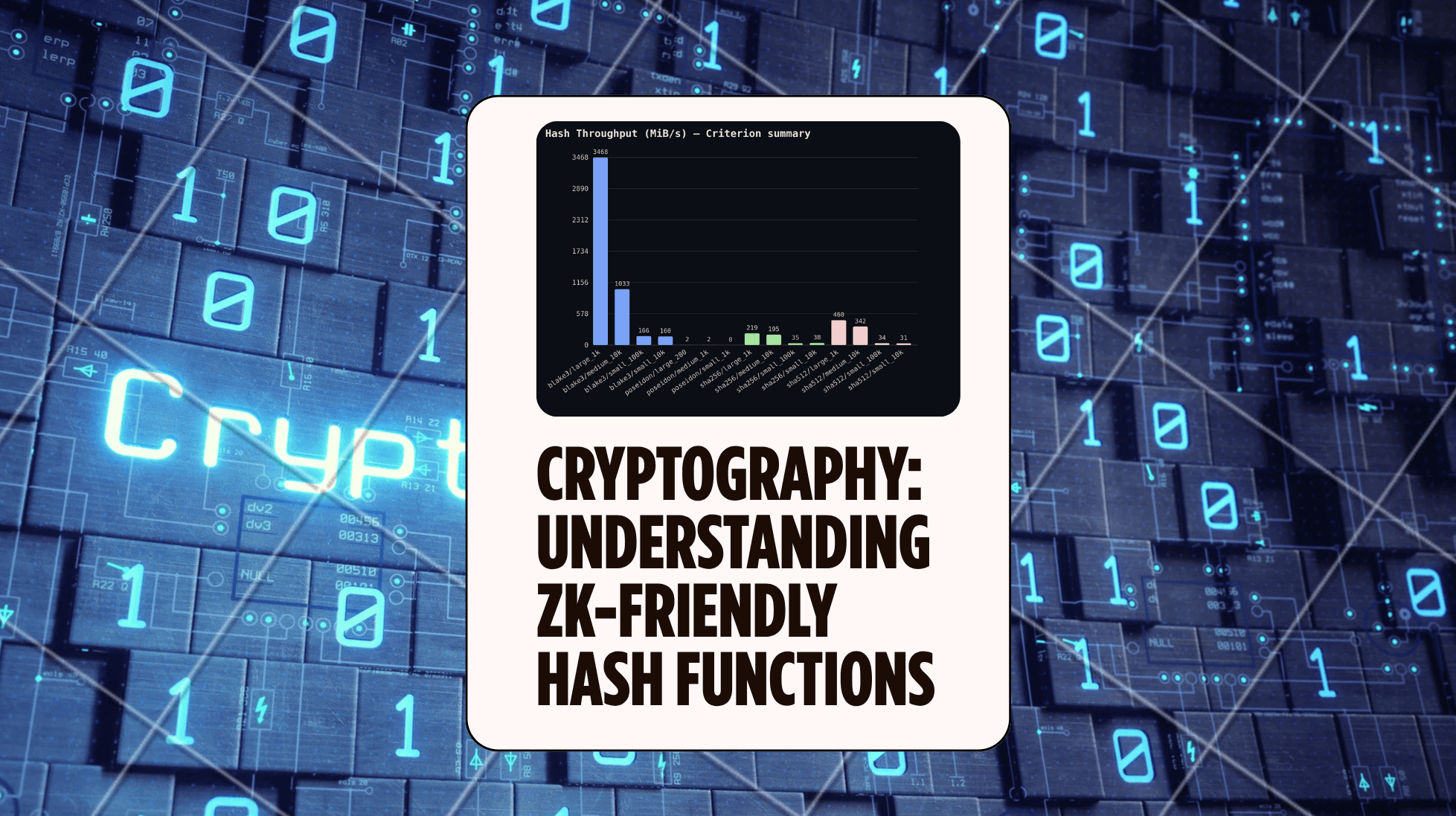
Cryptography — What makes a Hash ZK-Friendly (ZK Hack S3M1)
Practical Learnings from ZK Hack with JP Aumasson with hands-on benchmarks: SHA-256/512, BLAKE3, Poseidon. What does 'ZK-friendly' really mean?
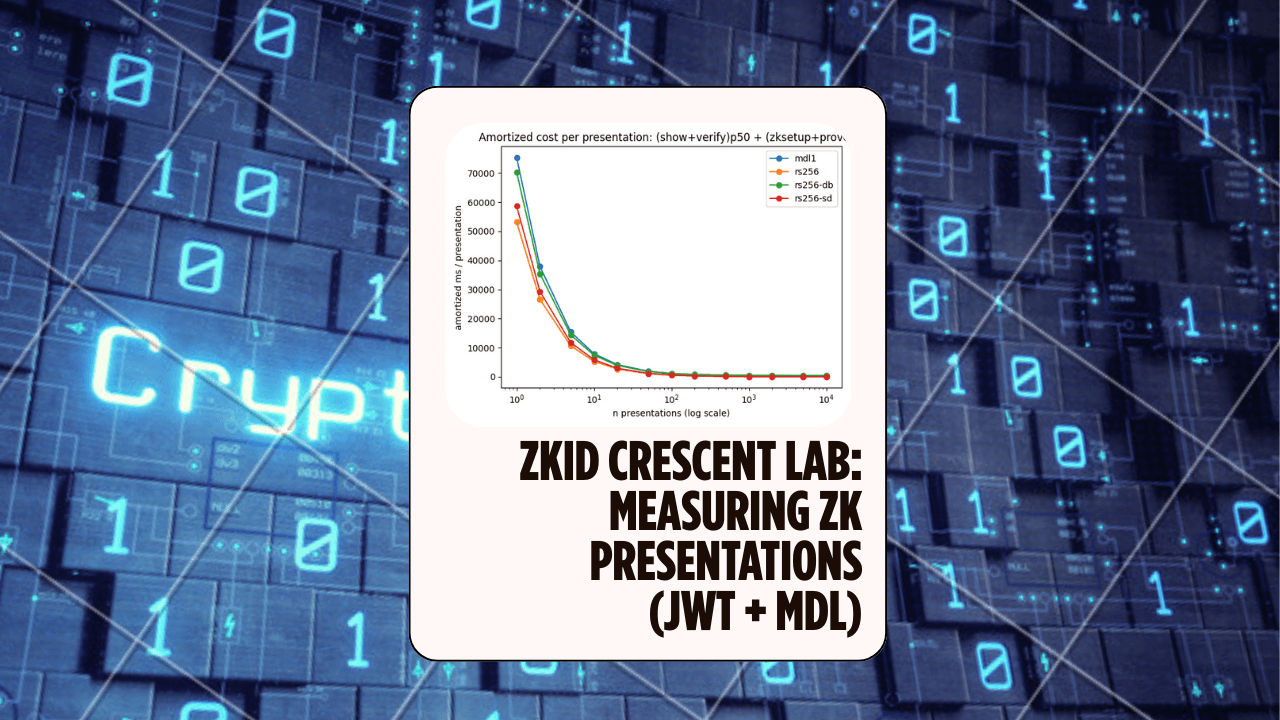
Crescent Bench Lab: Measuring ZK Presentations for Real Credentials (JWT + mDL)
A small Rust lab that vendors microsoft/crescent-credentials, generates Crescent test vectors, and benchmarks zksetup/prove/show/verify across several parameters — including proof sizes and selective disclosure variants.
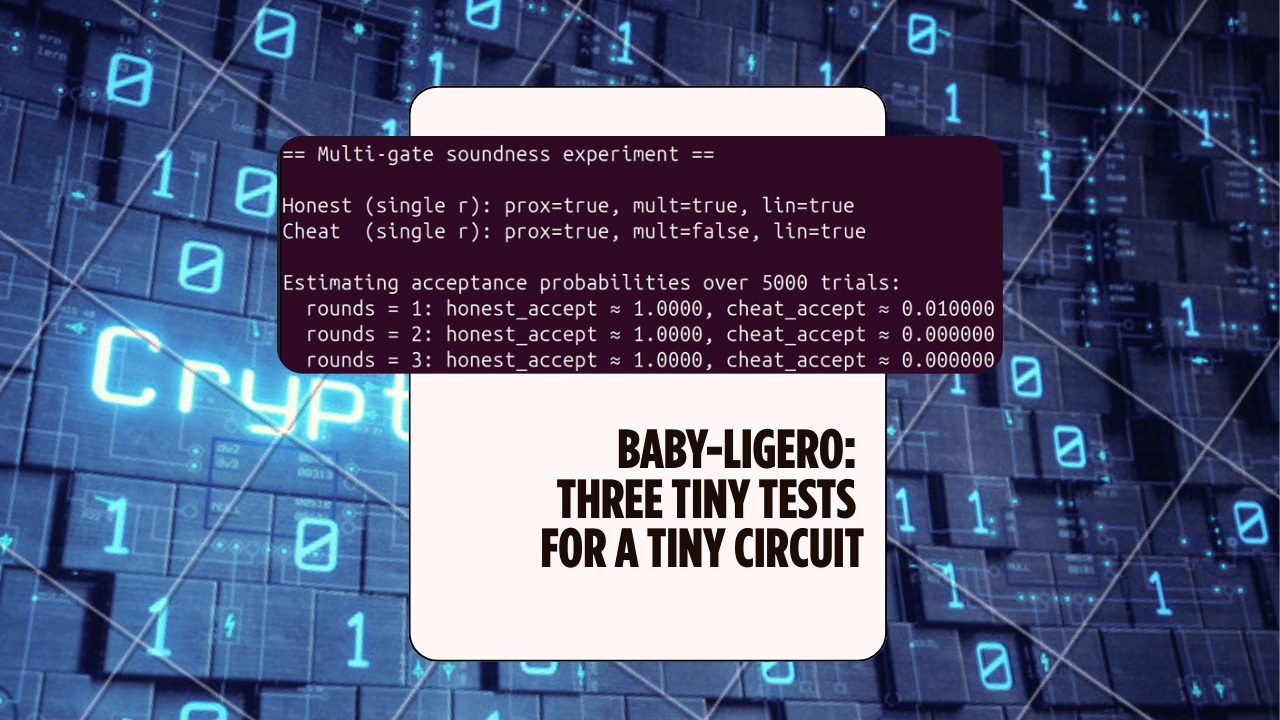
Baby-Ligero: Three Tiny Tests for a Tiny Circuit — ZK Hack S3M5
A mini Rust lab that implements a baby version of Ligero's three tests — proximity, multiplication, and linear — for a tiny arithmetic circuit, and uses them to see soundness amplification in action.