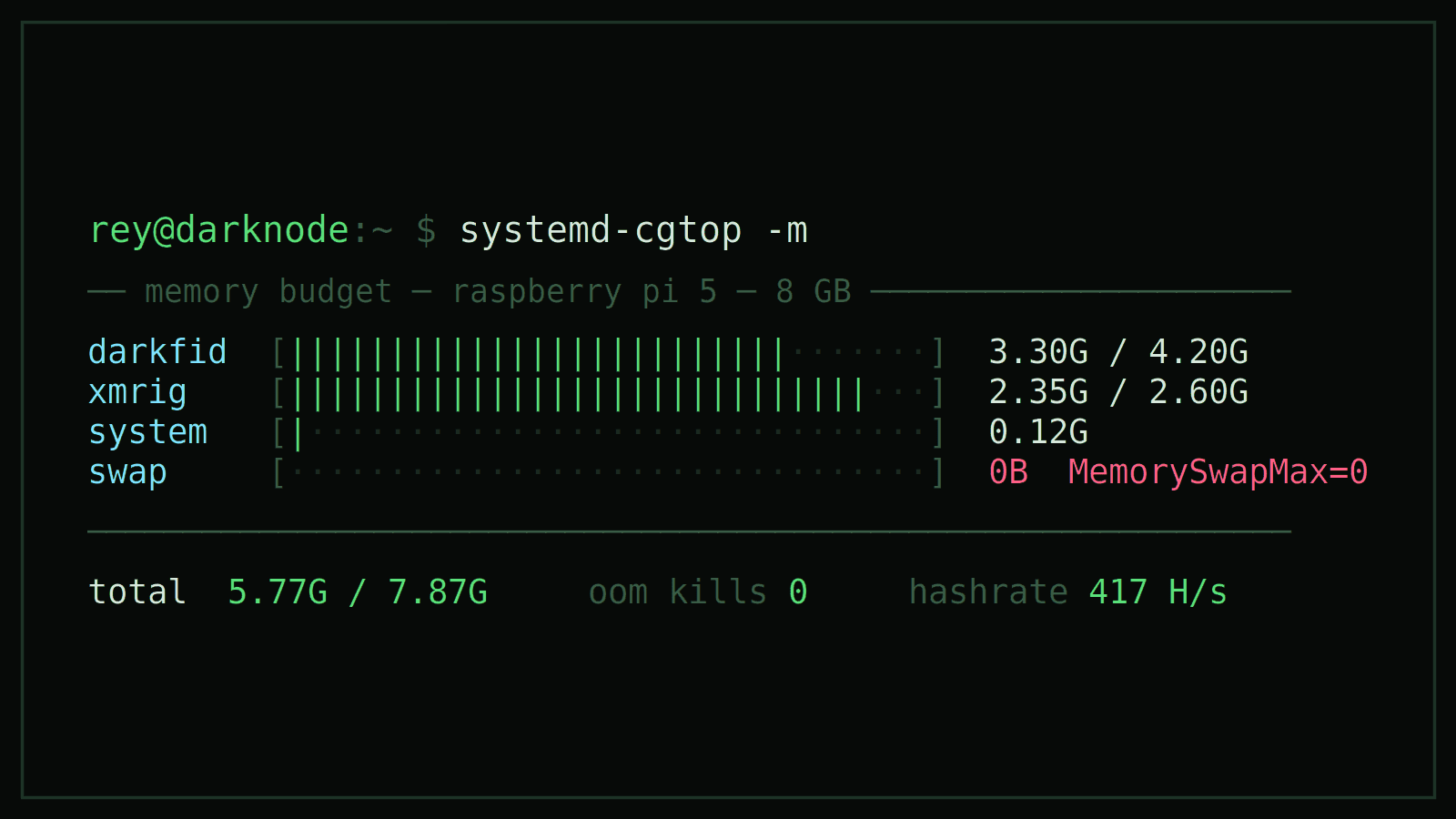
The Node That Killed Its Own Host — cgroups, Sled, and a 2.3 GB Miner on 8 GB of RAM
TL;DR — My DarkFi node was eating the Raspberry Pi, and I was having problems SSHing into my own box. I added
MemoryMax=to the systemd unit but did nothing, because the memory controller isn't compiled in by default on Raspberry Pi OS — the kernel was ignoring the limit. Once cgroups v2 was actually enabled and banned swap,darkfid(~3.3 GB) andxmrig(~2.35 GB, of which 2.3 is the RandomX dataset) coexist in 5.8 of 7.9 GB, with zero swap and zero OOM kills.
Disclosure: I used an LLM as a pair through the debugging and for editorial feedback. The diagnosis, the commands, and the verification are mine — this post exists because I manually debugged a config that looked right and asked the kernel instead.
This is a follow-up to running a DarkFi node on a Raspberry Pi 5. That post ended with the node and the miner running as systemd services, 24/7. What followed was a month of the node periodically making the host unreachable — SSH refused, the box alive but useless.
These are the notes on my second session of tinkering with the Raspberri Pi. It is not a tutorial, it's the debugging notebook for a Linux memory-management problem.
Contents
- The failure mode
- Starting from zero (some confusion with the wallet)
- The memory curve: 1.4 → 4.5 GB
- First fix did nothing
- Swap: the silent absorber
- Collateral damage: a corrupted database
- What a RandomX miner actually costs
- The budget
- Lessons about cgroups
- What's next
1. The failure mode
The symptom was not exactly that the node was being crashed, it was indeed fine. The problem was that the host was gone, so ssh was timing out, but the Pi still drawing power, LEDs blinking and nothing answering.
That shape — a process starving everything around it, including the SSH daemon — is the classic memory-pressure signature. Linux does not kill the greedy process the moment memory runs out. It tries very hard to keep going, reclaiming caches, swapping, thrashing, and the box spends all its time moving pages instead of answering you. The OOM killer, when it finally fires, may well pick something other than the culprit.
In this session I started from a clean slate, re-flashing Raspberry Pi OS Lite from scratch. That brought me a fresh box, the whole bring-up repeated once more (this time with the dependency list from the previous post, which made it easier and faster), and a chance to instrument the memory problem from block zero instead of guessing at a system that had been running that process for weeks.
2. Starting from zero (some confusion with the wallet)
The node itself came up as documented last time. The drk wallet is where the fresh install bit back to me, in a chain where each error was really the previous one's fault:
-
drkrefuses to work until you changewallet_passin~/.config/darkfi/drk_config.toml. -
QueryPreparationFailed. After changing the config, I ran a keygen against a wallet DB that had been created under the old password — the encrypted SQLite (sqlcipher) file was there, but the tables weren't in the state the client expected. Instead of fighting it, just throw the empty DB away and initialize cleanly, in the right order:
rm -rf ~/.local/share/darkfi/drk/testnet/wallet.db
./drk wallet initialize
./drk wallet keygenRowNotFoundwhen asking for the address. The keypair existed, but wasn't marked as default, anddrk wallet addressreads the default. List the keys to take the ID and set it:
./drk wallet addresses     # note the Key ID, e.g. 1
./drk wallet default-address 1
Nothing really important here — it's early-software friction, just wanted to write it down because it cost me some pain to get over it, in case this reference can be useful to anyone else. Key takeaway is that order matters: config first, initialize second, keygen third, default-address fourth.
3. The memory curve: 1.4 → 4.5 GB
With the wallet in place, darkfid started syncing the testnet from scratch — and the memory curve is what feeds this whole post. Watching htop during the sync, resident memory went from ~1.4 GB to 4.5 GB in a matter of an hour, and it was still climbing. On an 8 GB board also expected to host a miner, that's a lot of pressure.
The first instinct (i.e. "memory leak in the node") is almost certainly wrong, but the reason is not at all apparent. darkfid stores chain state in Sled, an embedded Rust key-value store. Sled keeps a page cache in memory to avoid hitting the disk on every write, and during a historical sync the node is replaying thousands of blocks and executing WASM contracts as fast as it can pull them. That's a write-heavy workload, of the kind a page cache is designed to absorb. If it's given a box with several free gigabytes, it just takes them.
Two things worth internalizing follow from that reasoning:
- That's not a leak. Leaked memory is unreachable and never comes back, but cache is reclaimable — the process would survive having it taken away. So the node using 4.5 GB is not, by itself, a bug report. The bug is that nobody was preventing that heavy usage.
VIRTis notRES. The virtual size sat far above the resident size (16 GB and up during the sync, against ~4 GB resident) because Sled memory-maps its files. Unlike physical pages, virtual address space is free. So just take into account theREScolumn.
The logical conclusion is the need of bounding the node. Let it have a big cache when the box is idle, and force it to give the cache back when the box needs the RAM for something else. That is precisely what Linux cgroups do, but my initial configuration of which I was sure of was not really working.
4. First fix did nothing
As mentioned, I added memory limits to the unit, restarted, and called it a day:
# /etc/systemd/system/darkfid.service
[Service]
MemoryHigh=3.5G
MemoryMax=4.2G
The two knobs serve two slightly different purposes:
MemoryHighis a soft limit — a throttle. When it is crossed the kernel starts aggressively reclaiming pages from that cgroup (exactly the cache we want reclaimed) and slows the process down. It is allowed to exceed it without being killed.MemoryMaxis the hard wall. If it is crossed, the cgroup's OOM killer fires on a process inside the cgroup (the greedy one, not sshd).
That's the optimal pairing for a hungry cache: continuous back-pressure at 3.5 G, a well-placed guillotine at 4.2 G. However, the next morning htop showed the node at 5.61 GB, sailing past both numbers, and even the swap was being eaten. Thus the limits were being ignored.
Here's the finding, the one useful boring thing in this post: Raspberry Pi OS ships with the cgroup memory controller disabled in the kernel command line. systemd accepts your MemoryMax=, writes it into the unit, reports it back to you if asked, but the kernel never enforces anything, because the controller that would do the enforcing was never enabled.
Enabling it means editing the kernel command line — just one line, without wrapping, appended to the end of the existing one:
# /boot/firmware/cmdline.txt  (append to the single existing line)
cgroup_enable=memory cgroup_memory=1
Then reboot — this one genuinely needs it since it's a kernel boot parameter. And then verify against the kernel, not against your own config file. This is the discipline I took away from the episode:
$ systemctl show darkfid.service -p MemoryCurrent -p MemoryHigh -p MemoryMax
MemoryCurrent=41992192
MemoryHigh=3758096384
MemoryMax=4509715660
Those bytes show what the kernel is holding: ~3.5 GiB and 4.2 GiB, as written, with MemoryCurrent reporting live usage from the cgroup itself. If the controller is off, this is where you find out, since you don't get a value that reflects reality. systemd-cgtop shows the same truth in a live view.
systemctl status renders the same accounting in one line per service:
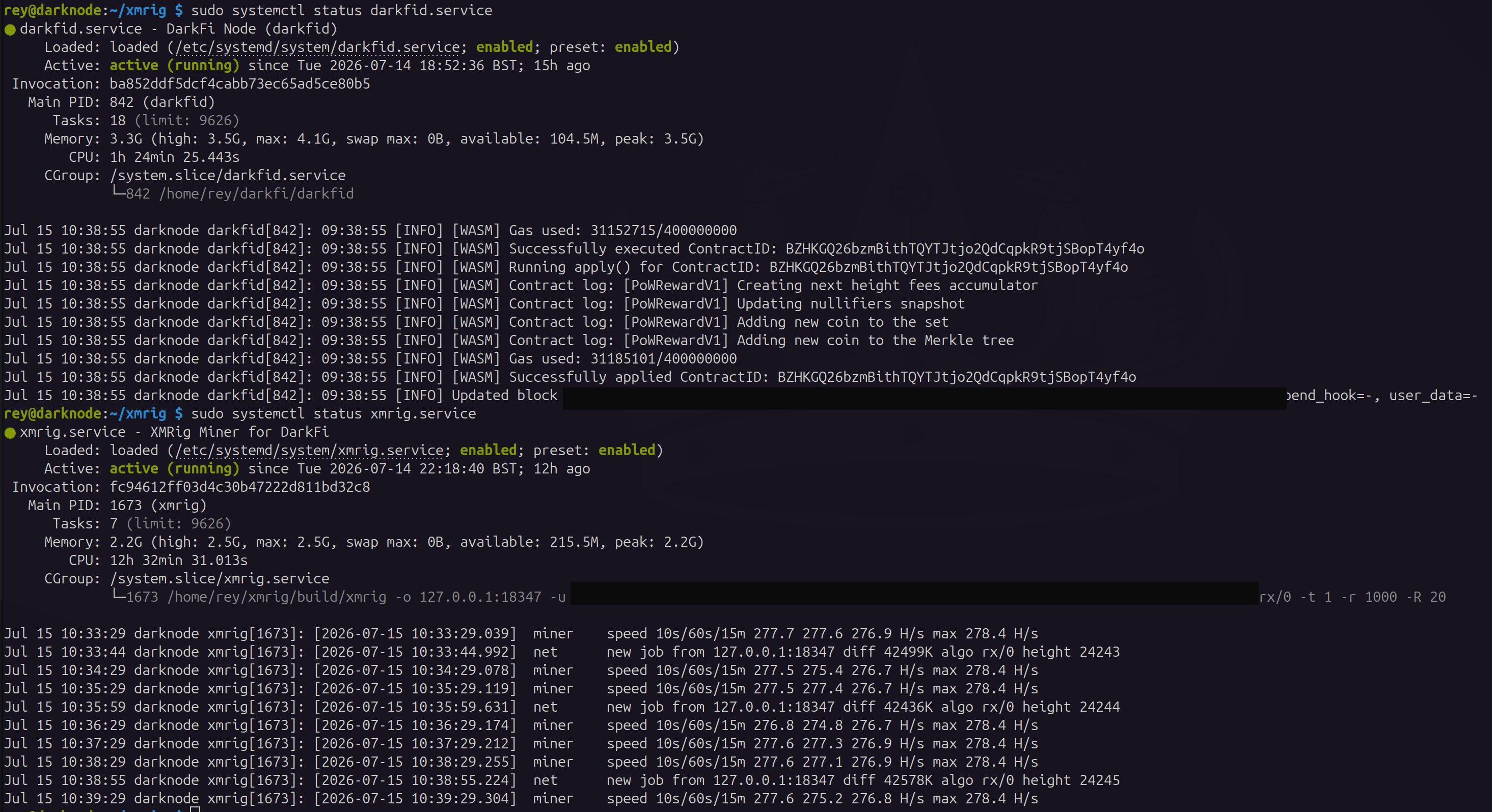
After the reboot, the node was finally on a leash: resident memory rose to sit between the two limits during heavy sync (~3.8–4.0 GB, against MemoryHigh at 3.5 G), throttling hard whenever getting over MemoryHigh. So there was no OOM and no dead SSH anymore. One corner case survived all this, but it took days to show up — I leave it for the budget notes in §8.
5. Swap: the silent absorber
To be fair with swap: it never caused any of this. The pressure comes from the process; swap only decides what the failure looks like. With 2 GB of swap available the kernel, instead of refusing, quietly writes the overflow to disk: the node appears to fit, no error surfaces anywhere, and the machine pays in disk I/O and latency, since memory the node needs on every operation now lives behind disk reads. That is the shape of the original outages: the box was never dead, it was drowning. And even with the limits enforced, swap keeps offering the node a way to slip its cap by exporting pages to disk. So the fix is one line, and it belongs in both units:
MemorySwapMax=0Swap for this cgroup is now forbidden. The node must live inside its RAM allowance or die inside it. The rest of the system keeps its swap. free -h now shows swap at a flat 0B used.
6. Collateral damage: a corrupted database
There was a bill for all this fighting, and I observed it as a panic loop on startup:
thread 'main' panicked ... tried to serialize UninitializedAn abrupt stop (such a hard restart, a power cut or an OOM kill) while Sled was mid-write left its index and snapshots inconsistent, and the node now panicked on every boot trying to open them. The recovery is to delete the index and snapshots, but keep the blobs (the actual downloaded block data) so the node rebuilds its index instead of re-downloading the chain:
sudo systemctl stop darkfid.service
rm -f ~/.local/share/darkfi/darkfid/testnet/db
rm -f ~/.local/share/darkfi/darkfid/testnet/snap.*
sudo systemctl start darkfid.service
That came back clean and carried on executing WASM contracts as if nothing had happened.
7. What a RandomX miner actually costs
With the node stable, I turned my head again to face the miner. It tells you exactly what it needs:
net       new job from 127.0.0.1:18347 diff 40702K algo rx/0 height 24298
randomx   init dataset algo rx/0 (4 threads) seed 96dd9f14...
randomx   allocated 2336 MB (2080+256) huge pages 0% +JIT
randomx   dataset ready (15685 ms)
cpu       use profile * (2 threads) scratchpad 2048 KB
cpu       READY threads 2/2 (2) memory 4096 KB
miner     speed 10s/60s/15m 417.2 n/a n/a H/s max 417.8 H/s
2336 MB. That's RandomX's design, not overhead you can avoid: a 2080 MB dataset plus a 256 MB cache, allocated up front, held for as long as the miner runs, and the reason RandomX is ASIC-resistant in the first place, so it's deliberately memory-hard. On a 4 GB Pi this simply does not fit alongside a syncing node. On an 8 GB one it fits, but only if you have decided in advance who gets what:
# /etc/systemd/system/xmrig.service
[Unit]
Description=XMRig Miner for DarkFi
After=network.target darkfid.service

[Service]
ExecStart=/home/rey/xmrig/build/xmrig -o 127.0.0.1:18347 -u <YOUR_WALLET_ADDRESS> -a rx/0 -t 2 -r 1000 -R 20
User=rey
Restart=always

# RandomX needs ~2.3 GB and will not negotiate
MemoryHigh=2.5G
MemoryMax=2.6G
MemorySwapMax=0

[Install]
WantedBy=multi-user.target
One thread or two? The dataset is shared across threads, so a second mining thread costs just one more 2 MB scratchpad. That's the memory 4096 KB in the log, two 2048 KB pads, not another 2 GB, nothing else in the budget moves. So the only question about it is about CPU-and-heat, and on this board it's cheap: moving from -t 1 to -t 2 took the hashrate from 278 H/s to 417 H/s (×1.5, not ×2 — RandomX is memory-bandwidth-bound, so two threads contend for the same memory subsystem), while the SoC went from 48 °C to 54 °C with vcgencmd get_throttled still reading 0x0. Two of four cores is still modest, which is the spirit DarkFi asks for.
What about huge pages 0%? RandomX wants huge pages to cut TLB misses across that 2 GB dataset and is getting none — but whether this kernel can even provide them is also a story of its own (§10).
8. The budget
Here is the whole system with both node and miner running:
$ free -h
               total        used        free      shared  buff/cache   available
Mem:           7.9Gi       5.7Gi       1.5Gi        32Mi       837Mi       2.2Gi
Swap:          2.0Gi          0B       2.0Gi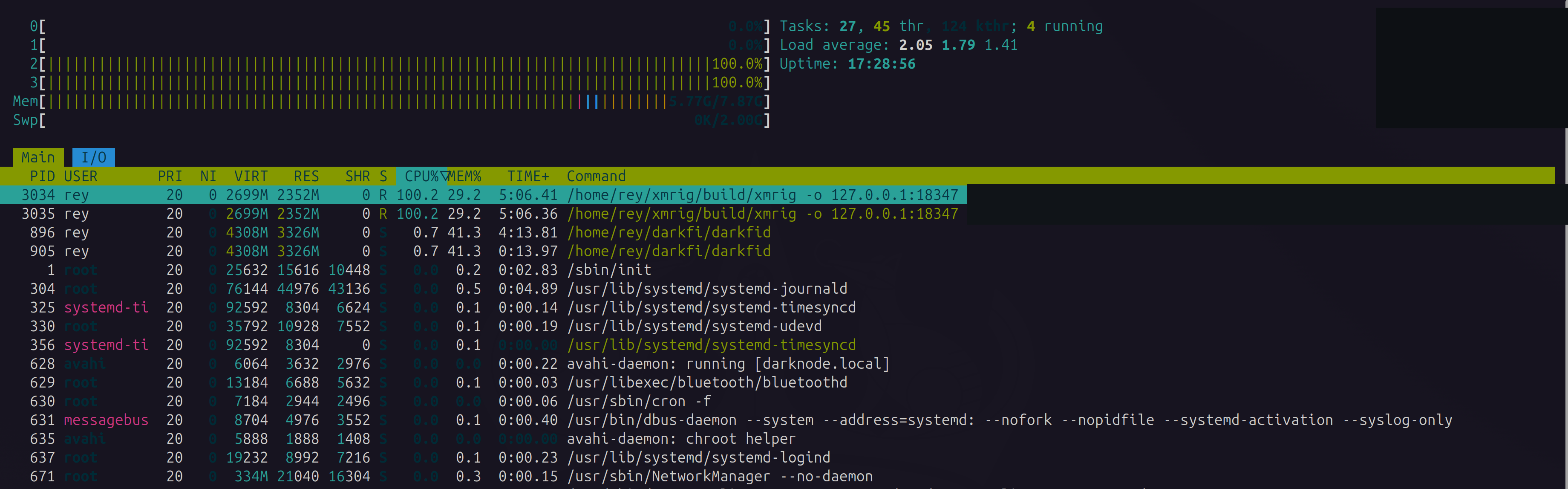
| Process | Ceiling (MemoryMax) |
Actual (RES) |
What it's for |
|---|---|---|---|
darkfid |
4.2 G | ~3.3 G | Sled page cache + chain state |
xmrig |
2.6 G | ~2.35 G | RandomX dataset (2080) + cache (256) |
| OS + services | — | ~0.15 G | systemd, sshd, WireGuard, avahi |
| Total | 6.8 G ceiling | 5.77 / 7.87 G | swap used: 0B |
Two details worth mentioning:
The first: darkfid's cgroup sits around 3.4 GB now, and sat higher (~3.9 GB) during the sync. It is not all working set: htop puts the process's RES at ~1.7 GB. The rest is file-backed page cache — Sled's on-disk pages the node has read, charged to the cgroup and reclaimable. That's the elastic half, and it's real: under MemoryHigh pressure the kernel reclaims that cache.
The other one is anonymous heap — the node's own live allocations, with no file behind them. A cache page can be dropped because the data still exists in the db files on disk; a heap page has no other copy anywhere, so the only way the kernel could evict it is writing it to swap first, and swap is banned. In normal running that's not a problem, the heap stays modest. But when the testnet drops its peers (and I indeed saw this happening a couple of times) that anon part climbs steadily with nothing the kernel can trim, and it presses the 4.2 G wall; there MemoryHigh can only throttle, not reclaim. My guess is that the node keeps buffering something while it retries, though I haven't gone into the source to confirm it. That edge case is why I run a small watchdog that restarts the node gracefully before the cgroup OOM-kill can corrupt Sled. None of it changes the design, the cgroup bounds the process, the only subtlety is that the reclaim happens on the cache, not on the heap.
The watchdog is a one-liner behind a systemd timer:
# /usr/local/bin/darkfid-memguard.sh — a .timer runs this every 2 minutes
cur=$(cat /sys/fs/cgroup/system.slice/darkfid.service/memory.current)
(( cur / 1024 / 1024 > 4100 )) && systemctl restart darkfid.service   # ~4.1 GB, below the 4.2 wall
The second: the miner now sits at 200% — two full cores of four — with the load average around 2.05. Two threads is still half the board — modest, and cool (54 °C). The bottleneck on this board was not CPU, it was RAM.
And a note on the hashrate to clarify: the miner is just a controlled RandomX load for the memory experiment. Partway through this, Monero p2pool merge-miners found the testnet (DarkFi shares RandomX with Monero, so they mine DRK for free alongside XMR) and difficulty jumped from ~2.5M to ~41M in a matter of days. A Pi at 417 H/s finds essentially no DRK against that.
9. Lessons about cgroups
Leaving aside DarkFi, this is basically a Linux post. These are the four takeaways:
Verify the limit. systemd will accept, store, and echo back a MemoryMax= that the kernel has no controller to enforce. The unit file is your intent; systemctl show -p MemoryCurrent is the kernel's reality. When they disagree, the kernel wins, and it will not tell you. Check the boot parameters on any distro that trims kernel features to save memory — Raspberry Pi OS is exactly that kind of distro.
MemoryHigh and MemoryMax are different tools, and we want both. High is continuous back-pressure (reclaim, throttle, survive); Max is a hard wall with a targeted OOM kill. High alone can't stop a runaway; Max alone turns every spike into a dead process.
Swap turns a memory bug into a mystery. With swap available, a process that doesn't fit doesn't fail — it degrades, silently, and takes the whole box's responsiveness with it. MemorySwapMax=0 converts a diffuse "the Pi feels dead" into a crisp, attributable event. Failing loudly inside a boundary beats failing softly everywhere.
Cache is not consumption. A DB that grows to fill available RAM is behaving correctly; it's the absence of a boundary that's the bug. The fix isn't in the application, it is bounding the node.
10. What's next
Huge pages — the lever that isn't there. huge pages 0% looked like free hashrate on the floor: RandomX wants huge pages to cut TLB misses across its 2 GB dataset, but is getting none. When I was going to switch them on it turned up to not be trivial. The kernel config:
CONFIG_ARCH_SUPPORTS_HUGETLBFS=y
# CONFIG_HUGETLBFS is not set
The Cortex-A76 supports huge pages; the stock Pi OS kernel (6.18.x-rpi-2712) is compiled without hugetlbfs — and there is no runtime toggle for a feature that isn't in the binary. No vm.nr_hugepages, no /sys/kernel/mm/hugepages, not even transparent huge pages. The same shape as the memory controller in §4: the capability is in the silicon but the distro left it out. That's indeed not as painful because this kernel already runs 16 KB base pages (getconf PAGESIZE → 16384), not the usual 4 KB, which already covers the dataset in ~4× fewer pages than a 4 KB kernel would: a free slice of exactly what huge pages buy. So 417 H/s is closer to the ceiling than 0% makes it look, and the rest would cost a custom kernel rebuild — not worth it for a miner that no longer earns on a merge-mined testnet anyway.
A stats panel — reymom.xyz/darknode. Reading a live, mining, 24/7 box through htop over SSH is a waste, so I built a small panel for it, fed by the Pi: sync height against the network tip, the RandomX hashrate, SoC temperature, and the memory budget above rendered live. The miner already speaks the right protocol — xmrig's read-only HTTP API (localhost only) hands out hashrate, shares, and per-thread numbers as JSON, which beats scraping journalctl. And the one hard rule from the last post holds: the node's control planes never face the internet. The Pi pushes a snapshot out, nothing dials in.
I also was considering to spin a Bitcoin Lightning node on this box too, but the honest answer from the table in §8 is that while the miner runs that might be unfeasible. The ceilings already commit 6.8 of 7.9 GB. A pruned bitcoind plus a Lightning implementation is on the order of another 1.5–2 GB before it's tuned, and the elastic component in this system is darkfid's Sled cache, not RandomX's dataset, which is fixed by the algorithm and non-negotiable. So the experiment is well defined, which is the nice thing about having a budget: push darkfid down (MemoryHigh=2.5G) and measure what it costs in sync speed. If the cache tolerates being squeezed, the Lightning node fits. If it doesn't, the miner and the Lightning node are mutually exclusive on 8 GB, and that is a result worth writing down too.
The measurement, either way, replaces the argument. That's the thing this session gave me.
(2026-07-20 addendum: the watchdog had a blind spot, found it by hitting it)
The §8 watchdog restarts darkfid when memory.current crosses ~4.1 GB, just under the 4.2 GB wall. A few days after publishing, the testnet's lilith seed nodes went down for an extended stretch, and the node walked straight into the edge case §8 only sketched, except the watchdog never fired.
Here's what happens more or less. During the seed outage the anonymous heap climbs exactly as predicted, but the total doesn't run to the wall: MemoryHigh throttles it and plateaus around 3.85 GB — above the 3.5 GB soft limit, below the 4.1 GB trigger. So the node sits in a limbo for hours: load average pinns near 6, the process thrashing in continuous reclaim, but memory.current never high enough to trip the restart. The guard was watching the wrong number. memory.current is anon + reclaimable cache, and cache is precisely what MemoryHigh keeps trimmed, so the total is held below the wall by design while the unreclaimable half quietly grows underneath it. The signal that actually tracks the disease is the anon figure from memory.stat, which §8 named but the watchdog didn't measure.
The fix is to restart on anon instead. I didn't, yet: first, because a from-zero initial sync also runs anon high (WASM working set, not the disconnect pathology), so a naive anon threshold would restart the node mid-sync, in a loop; any real trigger has to exclude that, e.g. by process uptime. Second, and worse: I couldn't pick a threshold because I had no recorded anon curve for the outage — the small telemetry exporter feeding my live panel had a bug of its own that made it emit empty snapshots during those exact hours, so the one dataset I needed was the one I lost. The watchdog now records the anon figure (log-only, with uptime) on every check, so the next outage gives me the curve to calibrate against; until then the original OOM-wall net stands unchanged as the safety floor.
References
- Part one — A DarkFi Node on a Raspberry Pi
- Part three — A Memory Budget on Two Small Machines
- systemd resource control (
MemoryHigh,MemoryMax,MemorySwapMax): https://www.freedesktop.org/software/systemd/man/latest/systemd.resource-control.html - Kernel cgroup v2 memory interface: https://docs.kernel.org/admin-guide/cgroup-v2.html#memory-interface-files
- Raspberry Pi kernel command line: https://www.raspberrypi.com/documentation/computers/configuration.html#the-kernel-command-line
- Sled — embedded Rust KV store: https://github.com/spacejam/sled
- RandomX design (memory-hardness, dataset and cache): https://github.com/tevador/RandomX/blob/master/doc/design.md
- xmrig huge pages: https://xmrig.com/docs/miner/hugepages
- DarkFi Book — Running a Node: https://dark.fi/book/testnet/node.html
# related
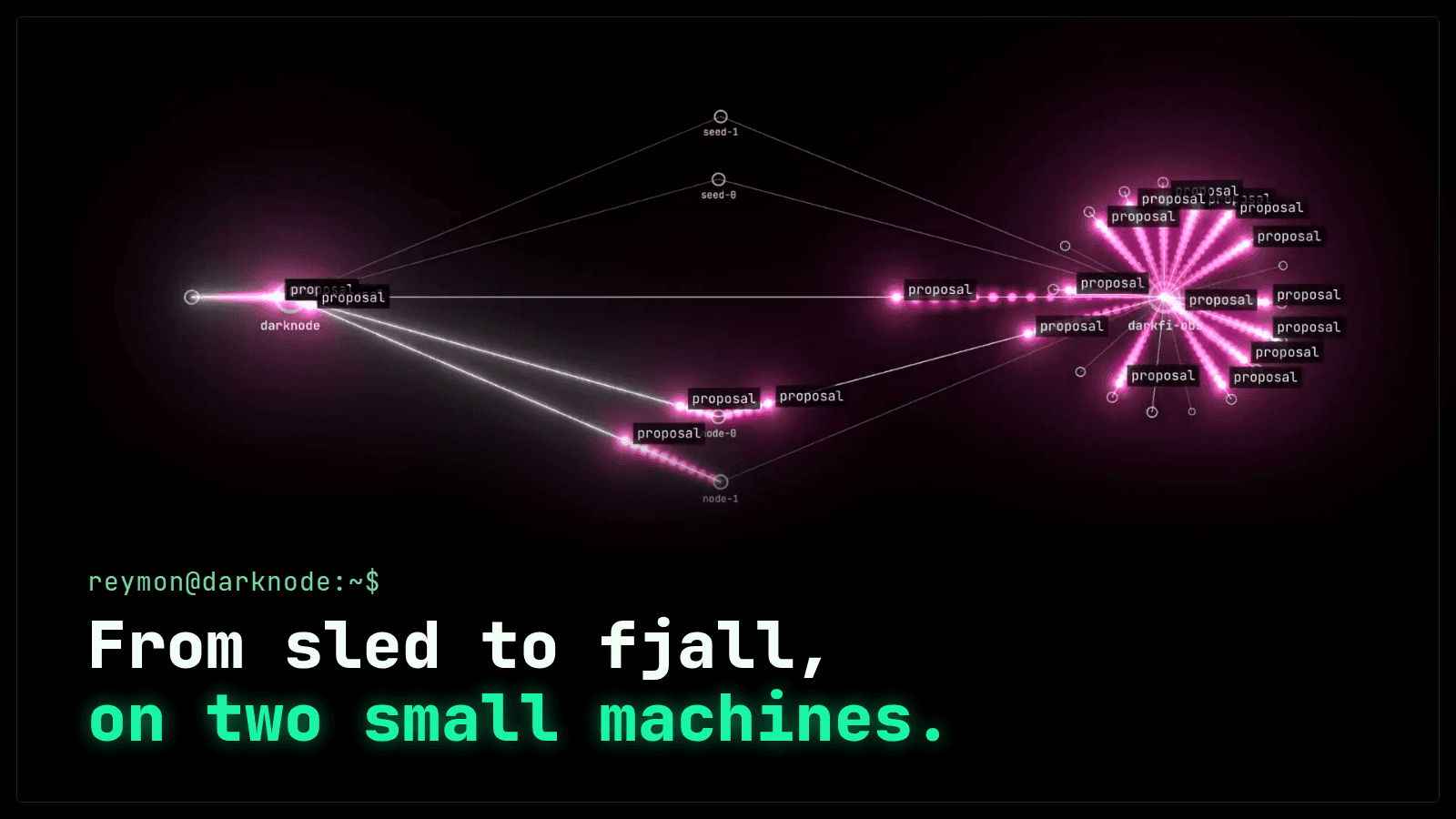
A Memory Budget on Two Small Machines: a DarkFi Node from sled to fjall
Part three of the DarkFi Pi. The memory lessons of running DarkFi nodes on a Raspberry Pi and a rented 4 GB server: what the node took under sled and what it takes under fjall, what a full sync costs, twenty-one allocator runs, what both machines run now, and darkscope, the open tool all of it was measured with.

A DarkFi Node on a Raspberry Pi — ARM Bring-Up Notes and the Circuits Underneath
Notes from turning a Raspberry Pi 5 into a 24/7 DarkFi testnet node and miner: NVMe boot, self-hosted WireGuard, the ARM dependency trail for darkfid and xmrig, and a look at the ZK circuits the node deploys on startup — including the v3a exploit that sat on a Poseidon binding.
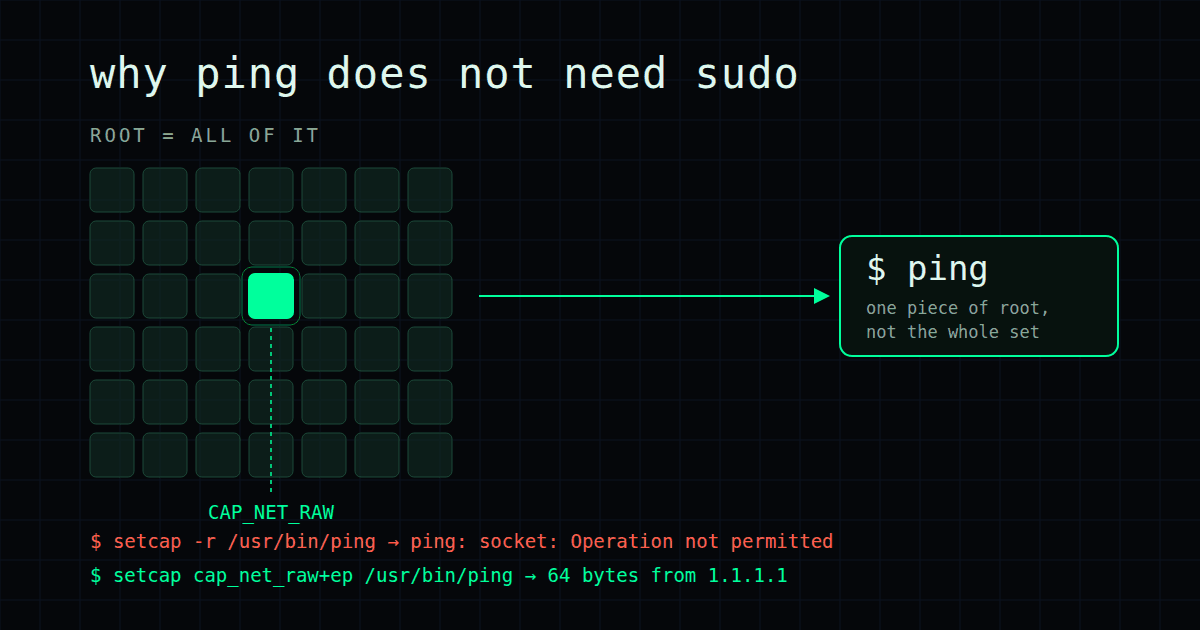
Study notes on Linux fundamentals: setuid and capabilities with ping
As the first part of this series of study notes, I am exploring a very simple concept: why ping does not need sudo, what capabilities are and why they are a fundamental feature in Linux.